Useful features you might have missed
I think that most people use Tabletop Setup Wizard for one or two games and never look past the Randomize button (I hope not). On this page, I want to highlight some features that work for every game on the site, and you might find them useful.
1. Pin your favorite games to the home page
If you only play one or two games, you don’t need to scroll through the whole list every time. Pin them and they stay at the top of the home page.
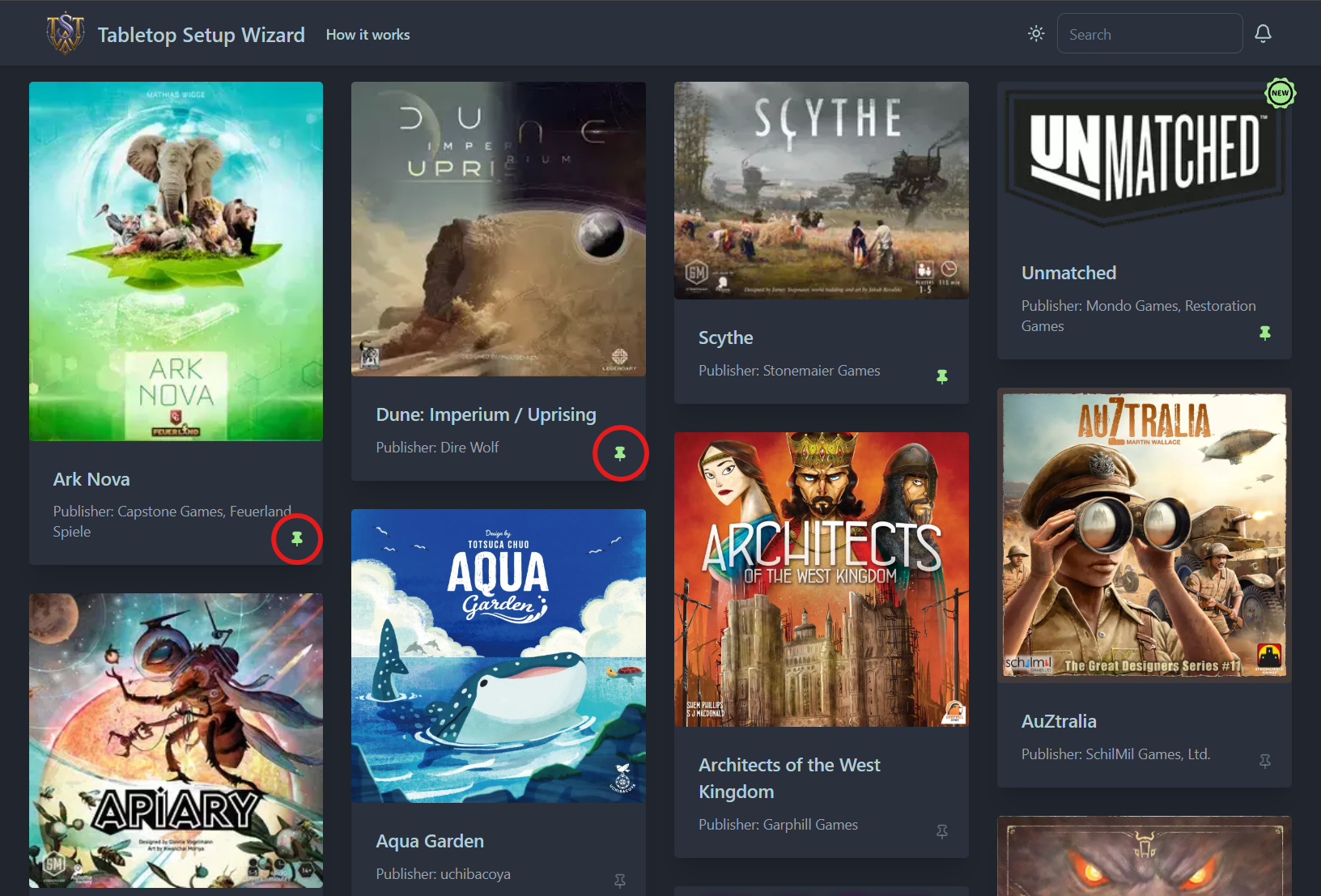
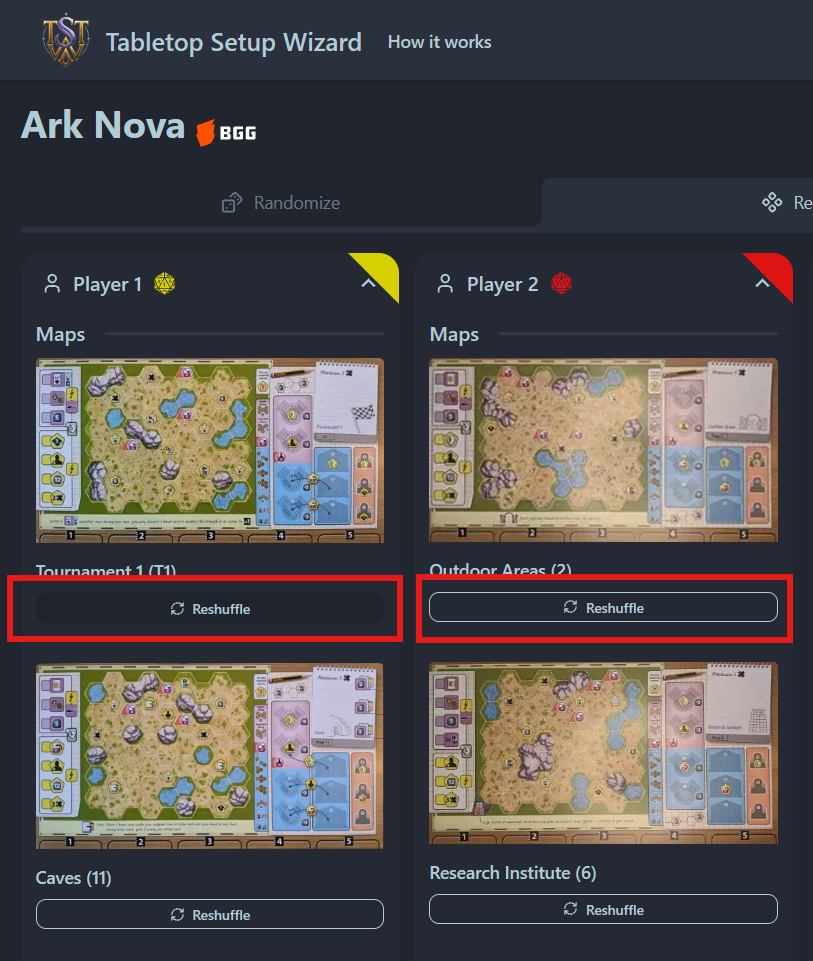
2. Reshuffle a single component
Happy with the setup except for one card, faction, or tile? No need to randomize the whole game again. Every component on the result screen has a Reshuffle button. It redraws just that one item with all settings included and leaves everything else as it was.
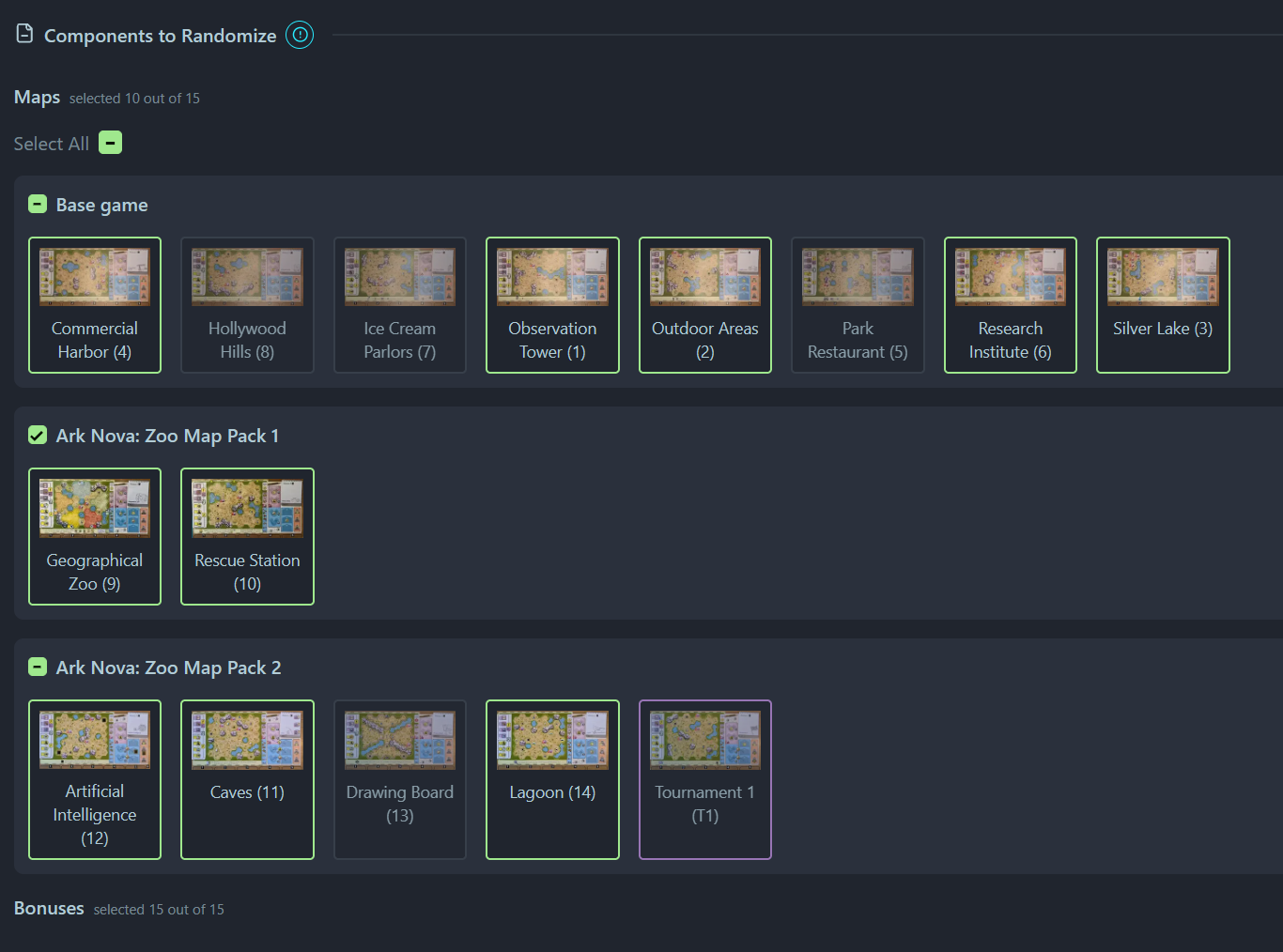
3. “Components to Randomize” - control the pool
Every game has this section, but it sits at the very bottom of the setup page and is easy to miss. You can untick any component you don’t want in the draw: a faction you don’t enjoy, a card you house-rule out, or something from an expansion you only partly own.
4. Your last setup and result are saved
Everything is stored in your browser, so:
- Results survive a reload. Close the tab or refresh the page, and your latest randomization is still there.
- Your settings are remembered. Player count, expansions, modules and options are saved when you press Randomize, so next time they’re already selected.
- If you want a clean start, there’s a reset-to-default button at the bottom of the page.
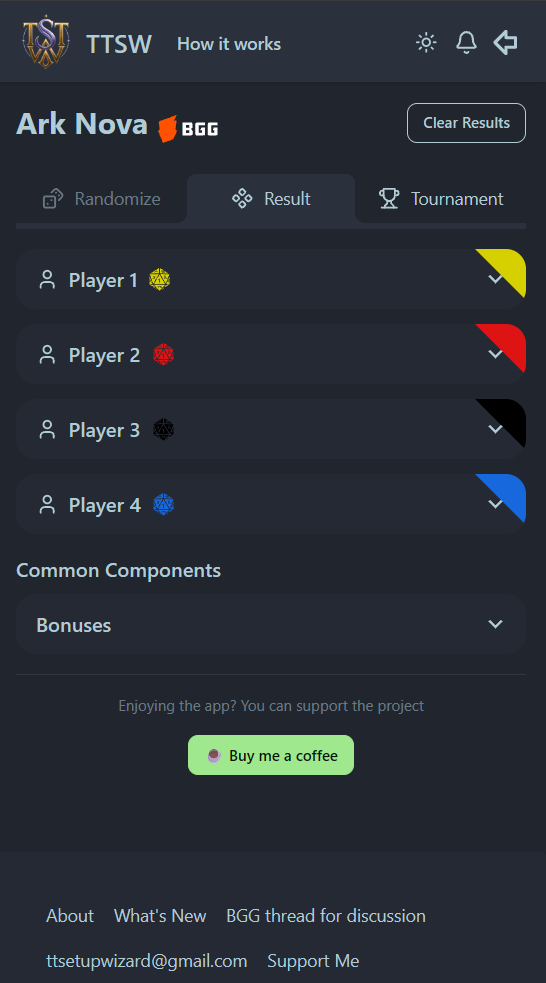
5. Collapsible player sections
On the result screen, each player’s section can be collapsed. This helps a lot on a phone: collapse everyone else so you don’t need to scroll past them.
6. Install it as an app
Add the site to your phone’s home screen (in your browser menu, choose “Add to Home Screen” or “Install and create shortcut”). It opens like a regular app, so it’s one tap away at the table on game night.
7. What’s New bell
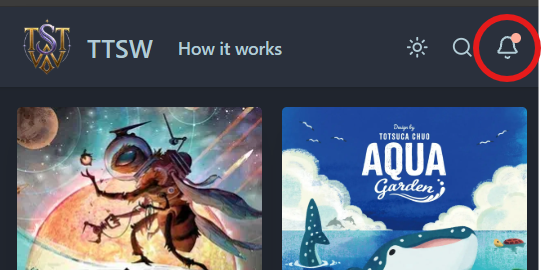
Whenever I add a game, a new feature, or a fix, the bell icon in the top bar animates and shows a small indicator. Tap it to see what changed. Don’t forget to check it when you have time; there might be something useful!
Got a feature idea or a game you’d like added? Tell me on the Suggest a game page.
P.S. Bonus hidden feature #8: the “Buy me a coffee” button. Fully optional; side effects include a very happy developer.